

Making Movies on a Mobile Phone: A Complete Guide for Australian Creators
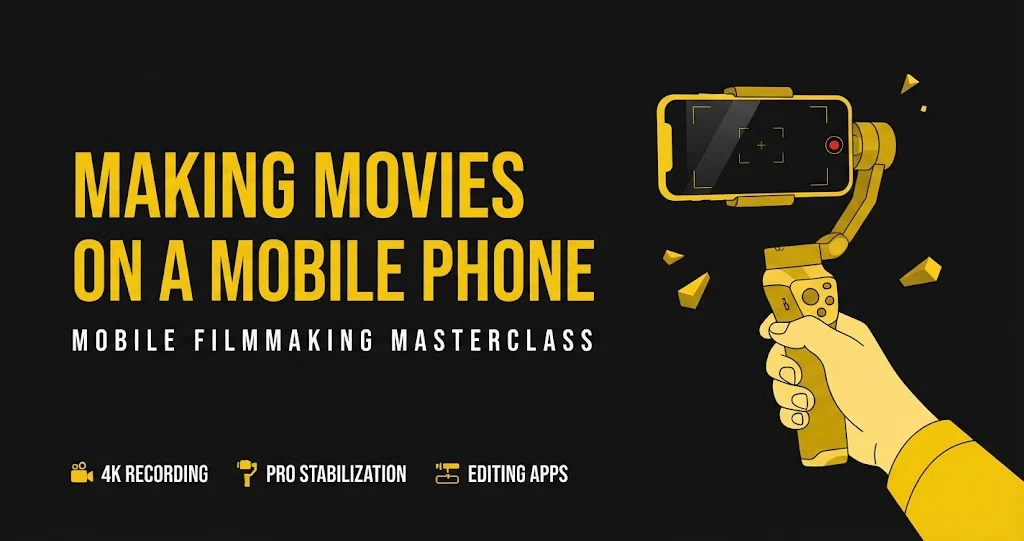
Making movies on a mobile phone has become easier than ever. Modern smartphones can capture high-quality video, record detailed audio with the right accessories, and provide enough processing power to edit footage directly from the device. For Australian creators, students, small businesses, travellers and aspiring filmmakers, a smartphone can be a practical alternative to carrying a large camera setup.
Whether you are filming a short movie, social media video, travel story, family project or promotional content, the most important equipment may already be in your pocket. With the right settings, lighting, audio and editing techniques, you can create impressive videos without investing in expensive filmmaking equipment.
Why Making Movies on a Mobile Phone Is So Popular
Smartphones have changed the way people create and share video content. Instead of needing a dedicated camera, computer and complicated editing equipment, you can record and edit much of your content using one device.
One of the biggest advantages is portability. A smartphone can easily fit into your pocket or bag, making it convenient for filming around Melbourne, Sydney, Brisbane, Perth, Adelaide or anywhere else in Australia. You can quickly capture an interesting scene without setting up a large camera system.
Modern smartphones also offer features such as 4K video recording, optical or electronic image stabilisation, multiple camera lenses, slow-motion recording and advanced image processing. These features give creators more flexibility when producing cinematic-looking footage.
Cost is another important consideration. If you already own a capable smartphone, you may only need a tripod, microphone or small light to improve your production quality.
Choosing the Right Mobile Phone for Filmmaking
Not every smartphone is equally suitable for filmmaking. If you plan to record longer projects or high-resolution footage, it is worth considering the device’s camera, storage, battery and processing capabilities before you start.
Camera Quality
Look for a smartphone with a capable main camera and, ideally, additional lenses. A wide-angle camera can help you capture landscapes and establishing shots, while a telephoto camera can be useful for distant subjects.
The number of megapixels is not the only factor that matters. Sensor quality, image processing, dynamic range, autofocus and stabilisation can have a major impact on your final footage.
Video Resolution
Many modern smartphones can record in Full HD or 4K. Recording in 4K provides more detail and gives you greater flexibility when cropping or editing footage.
However, higher resolution also produces larger files. If you are recording a long movie, make sure your phone has sufficient storage space.
Storage Capacity
Video files can consume storage quickly, particularly when recording in 4K or using high-quality recording formats.
Before filming, check your available storage and transfer older photos and videos if necessary. Cloud storage, an external storage device or a computer can also be useful for keeping your footage organised.
Battery Life
Filming and editing video can place significant demands on a smartphone battery. GPS, high screen brightness, camera processing and video recording can all contribute to faster battery drain.
For longer shoots, start with a fully charged phone and consider carrying a suitable power bank. If your device battery is ageing or losing capacity quickly, professional battery replacement may also help restore its everyday usability.
How to Record Better Movies on a Smartphone
Having a good smartphone is only part of the filmmaking process. How you use the camera can have an even greater effect on the finished movie.
Plan Your Shots
Before pressing record, think about what you want the viewer to see. A simple shot list can help you stay organised.
Consider recording:
- Establishing shots that show the location
- Wide shots showing the full scene
- Medium shots of people or subjects
- Close-ups that capture important details
- Additional footage that can be used as transitions
Planning your shots also reduces unnecessary footage and makes editing easier later.
Use Good Lighting
Lighting can dramatically change the appearance of smartphone footage. Whenever possible, use soft and consistent lighting rather than placing your subject directly under harsh overhead lights.
Natural daylight can work extremely well. When filming outdoors in Australia, however, strong midday sunlight can create hard shadows and excessive contrast. Early morning or late afternoon light can provide a softer appearance.
If you are filming indoors, a small LED light can give you greater control over the scene.
Keep the Camera Stable
Shaky footage can make even an otherwise well-recorded movie look amateurish. Hold your smartphone with both hands or use a tripod for stationary shots.
A smartphone gimbal can also be useful when you need smooth movement while walking or following a subject.
Pay Attention to Audio
Good visuals are important, but poor audio can quickly reduce the quality of a movie.
The built-in smartphone microphone can be suitable for casual videos, but an external microphone can provide cleaner and more controlled sound. Depending on your project, you might use a wired microphone, wireless microphone or dedicated recording device.
When recording dialogue, try to minimise wind, traffic, air-conditioning and other background noise.
Avoid Excessive Digital Zoom
Moving closer to your subject is often better than relying heavily on digital zoom. Digital zoom can reduce image quality and make footage appear soft.
If your phone has an optical telephoto camera, use it when appropriate. Otherwise, physically changing your position can often produce a cleaner result.
Smartphone Settings for Better Video
Before recording, take a moment to check your camera settings.
For many projects, 4K at 30 frames per second can provide a useful balance between detail, smoothness and file size. If you want a more cinematic appearance or plan to slow footage down during editing, you may choose different frame rates depending on your phone and editing workflow.
Some smartphones also provide advanced video modes that allow greater control over exposure, focus, colour and other settings.
However, the best settings depend on the project. There is no single configuration that works perfectly for every type of movie.
Best Accessories for Mobile Filmmaking
You do not need a huge collection of equipment to improve smartphone filmmaking. A few carefully chosen accessories can make a significant difference.
Smartphone Tripod
A tripod is useful for interviews, dialogue scenes, time-lapse videos and stationary shots. It also allows you to position the phone correctly without holding it throughout the recording.
Gimbal Stabiliser
A gimbal can help produce smoother movement when walking or tracking a subject. It is particularly useful for travel videos, short films and moving shots.
External Microphone
An external microphone can improve dialogue and reduce unwanted background noise. Wireless microphones are especially useful when the person speaking needs to move around.
Portable Lighting
A compact LED light can help when filming indoors or in locations where natural light is limited.
Extra Storage
If your smartphone supports external storage or you regularly transfer footage to another device, having a reliable storage solution can prevent you from running out of space during a shoot.
Editing Movies on a Mobile Phone
One of the biggest advantages of smartphone filmmaking is that you can edit footage without immediately transferring everything to a desktop computer.
Mobile video editing apps allow you to trim clips, rearrange scenes, add music, adjust colours, insert titles and export finished videos.
A simple editing workflow could look like this:
- Transfer or organise your recorded footage.
- Remove unwanted clips and mistakes.
- Arrange the best footage in the correct sequence.
- Trim clips to improve pacing.
- Add dialogue, music and sound effects.
- Adjust brightness, contrast and colour where necessary.
- Add titles or captions.
- Review the complete video.
- Export the final movie at the appropriate resolution.
For larger projects, you may eventually prefer editing on a MacBook or laptop because a larger display and more powerful hardware can make detailed editing easier.
Can an iPhone Be Used for Professional Filmmaking?
Yes. An iPhone can be a capable filmmaking device, particularly newer models with advanced camera systems and video features.
iPhones are popular among creators because they combine a high-quality camera with powerful processing hardware and a wide selection of video recording and editing tools.
For professional or semi-professional projects, storage capacity is particularly important. High-resolution video can quickly consume available space, so choosing an iPhone with sufficient storage can make a significant difference.
Accessories such as a tripod, gimbal, external microphone and portable lighting can further improve the production.
The most important point is that expensive equipment does not automatically create a good movie. Storytelling, composition, lighting, sound and editing remain essential.
Using an iPad, MacBook or Laptop for Video Editing
A smartphone may be ideal for recording, but larger devices can provide advantages during post-production.
An iPad can offer a larger touchscreen for editing clips, reviewing footage and managing creative projects. A MacBook or laptop provides an even larger workspace and can be particularly useful for longer movies or projects involving multiple video and audio tracks.
If you regularly edit video, performance becomes important. Sufficient RAM, storage and processing power can help reduce waiting times when working with high-resolution footage.
What If Your Phone Is Not Performing Properly?
Filming video can put considerable demands on a smartphone. If the device has a damaged camera, weak battery, charging problem, overheating issue or damaged screen, it can make filmmaking unnecessarily difficult.
For example, a camera that struggles to focus can affect every recording, while an ageing battery may cause the phone to shut down during longer shoots.
Professional mobile phone repair can address problems such as damaged screens, faulty charging ports, battery issues, camera faults and other hardware problems. Repairing a device can sometimes be a more practical option than immediately replacing it.
If you rely on your phone for filmmaking, it is also sensible to back up important footage before sending the device for repair.
Is a Refurbished Phone Good for Making Movies?
A refurbished smartphone can be an attractive option for creators who want capable hardware without paying the full price of a brand-new device.
A suitable refurbished phone can provide access to a high-quality camera system, good processing performance and useful video features at a lower cost.
Before purchasing a refurbished phone for filmmaking, check:
- Camera condition and functionality
- Battery health
- Available storage
- Video recording capabilities
- Screen condition
- Charging performance
- Overall device functionality
- Warranty or return coverage
Buying from a reputable Australian seller can also provide greater confidence that the device has been properly tested and graded.
For creators on a budget, a well-maintained refurbished iPhone or other smartphone may provide enough performance for recording social media content, short films, travel videos and other creative projects.
Tips for Making Movies on a Mobile Phone in Australia
Australia offers an enormous variety of locations for mobile filmmaking, from city streets and beaches to parks, regional towns and dramatic landscapes.
When filming outdoors, keep the weather and environment in mind. Strong sunlight can affect exposure, while wind can make recorded audio difficult to use. Carrying a small microphone windscreen, portable light and power bank can be helpful for outdoor shoots.
Also remember to protect your phone. Sand, water, dust and accidental drops can cause expensive damage. A protective case and screen protector can provide an additional layer of protection when filming outdoors.
If you are filming in public areas, be considerate of other people and check whether you need permission for commercial filming or particular locations.
Final Thoughts on Mobile Filmmaking
Making movies on a mobile phone is no longer limited to simple home videos. Modern smartphones provide capable cameras, powerful processors and a growing range of filmmaking and editing features.
The key to creating better movies is not simply buying the newest phone. Good storytelling, thoughtful composition, appropriate lighting, stable footage and clear audio can have a greater impact on the final result.
Whether you are using an iPhone, another smartphone, an iPad, MacBook or laptop, maintaining your equipment is equally important. Keeping your device’s battery, camera, screen and charging system in good condition can help you get more from your technology.
For Australian creators, a smartphone can be a compact and versatile filmmaking tool. With the right preparation and a little practice, you can turn everyday ideas into polished videos without needing a traditional camera setup.